Overview
This section aims to describe the main features and some important information of the Queclink @Track protocol, in order to show you the overall appearance of it.
What It Is
The @Track protocol is a digital communication interface developed by Queclink, oriented to but not limited to remote telemetry servers, via but not limited to cellular network, parsing programs can be fully reused, and used for external units to communicate with terminal devices provided by Queclink.
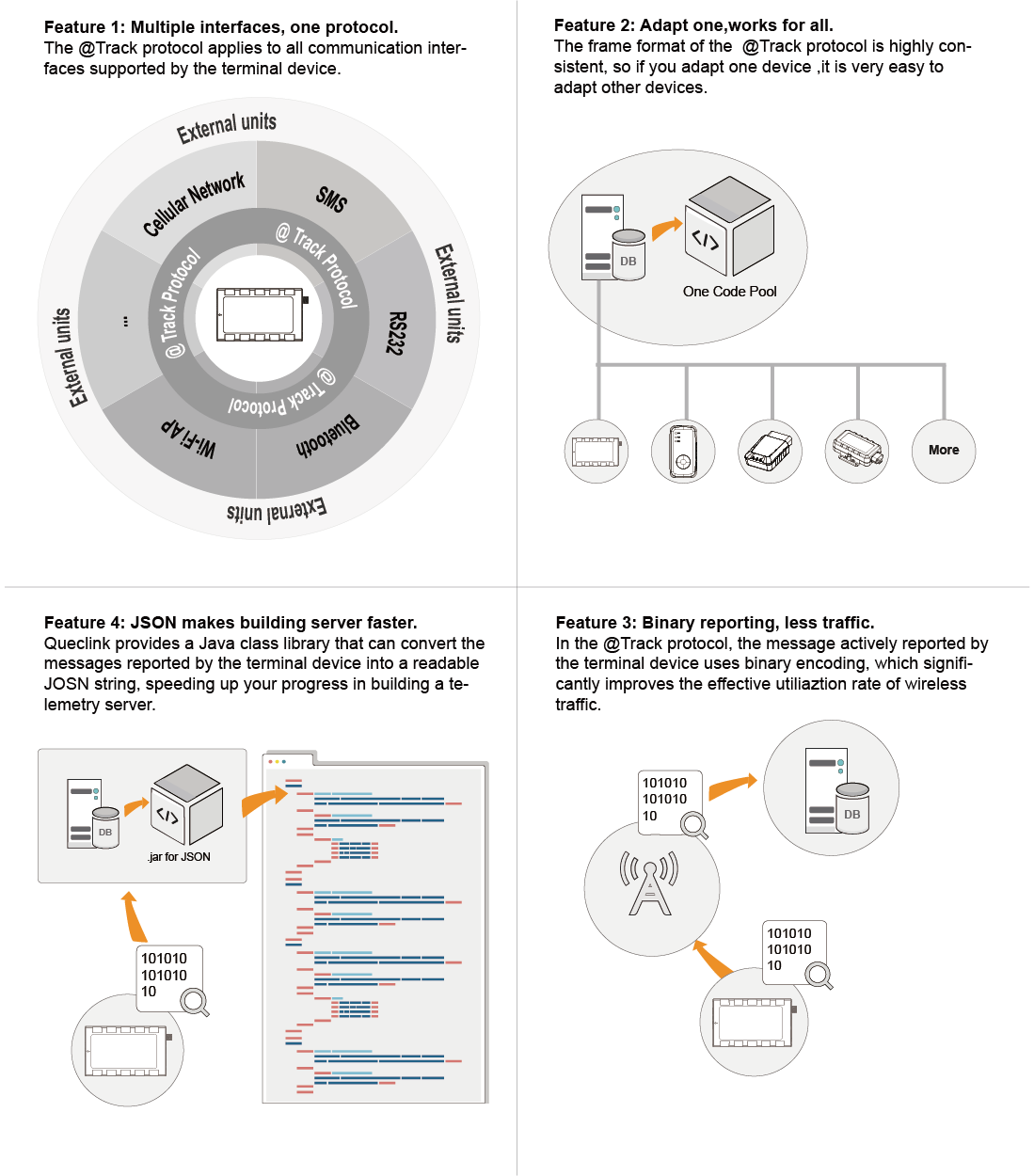
Primary Features of @Track Protocol
For GV500CNA, the communication interfaces that support the @Track protocol are: Cellular Network, SMS.
Frame Types
The @Track protocol contains the following types of frames, depending on their purpose:
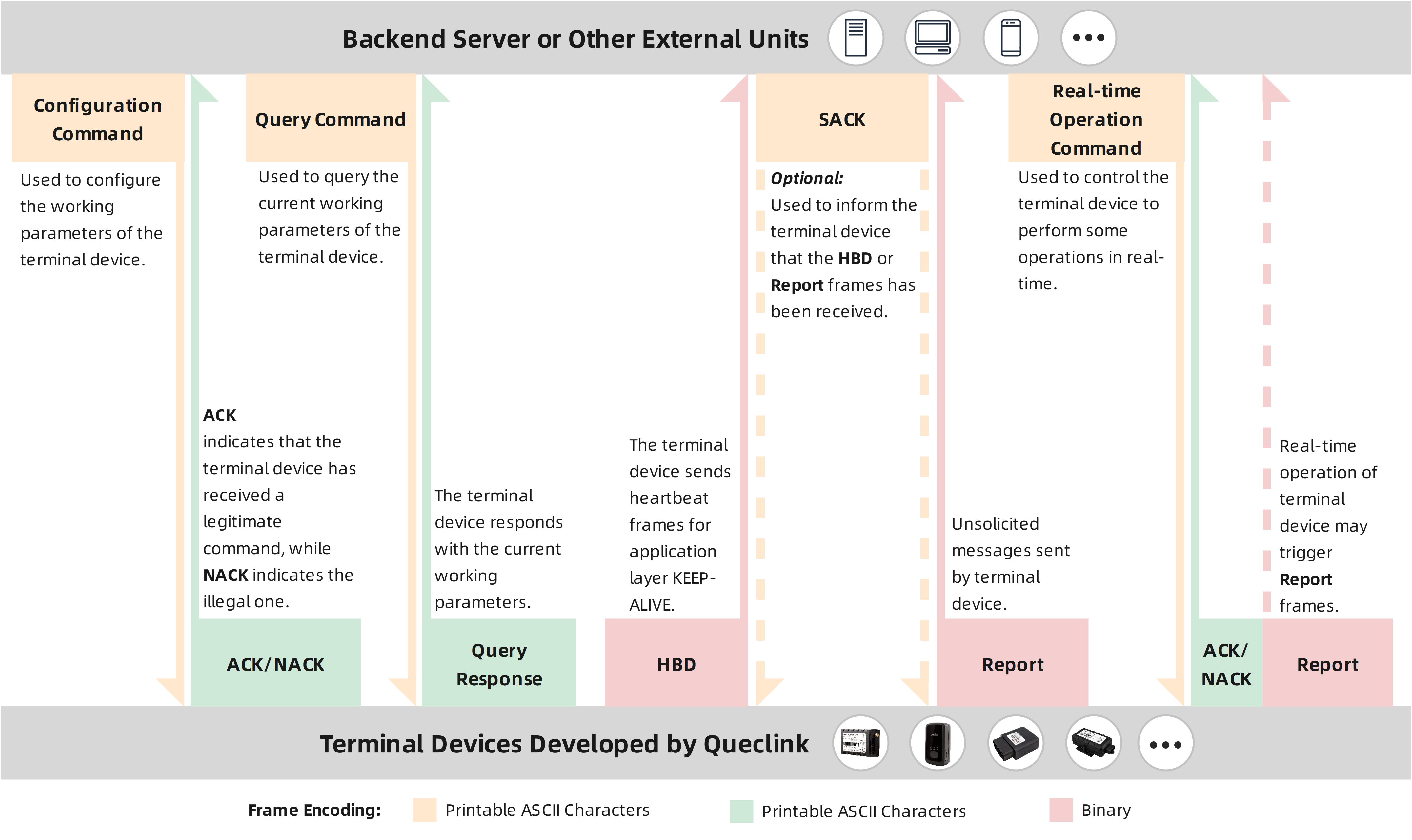
Frame Types and Encoding
Please refer to Frames Format for the detailed format of the above types of frames.
Built-in Application Scenarios (Profiles)
Sometimes, we hope that the terminal device can be smarter, for example, can dynamically change the working parameters according to its own working status or the external environment, like this:
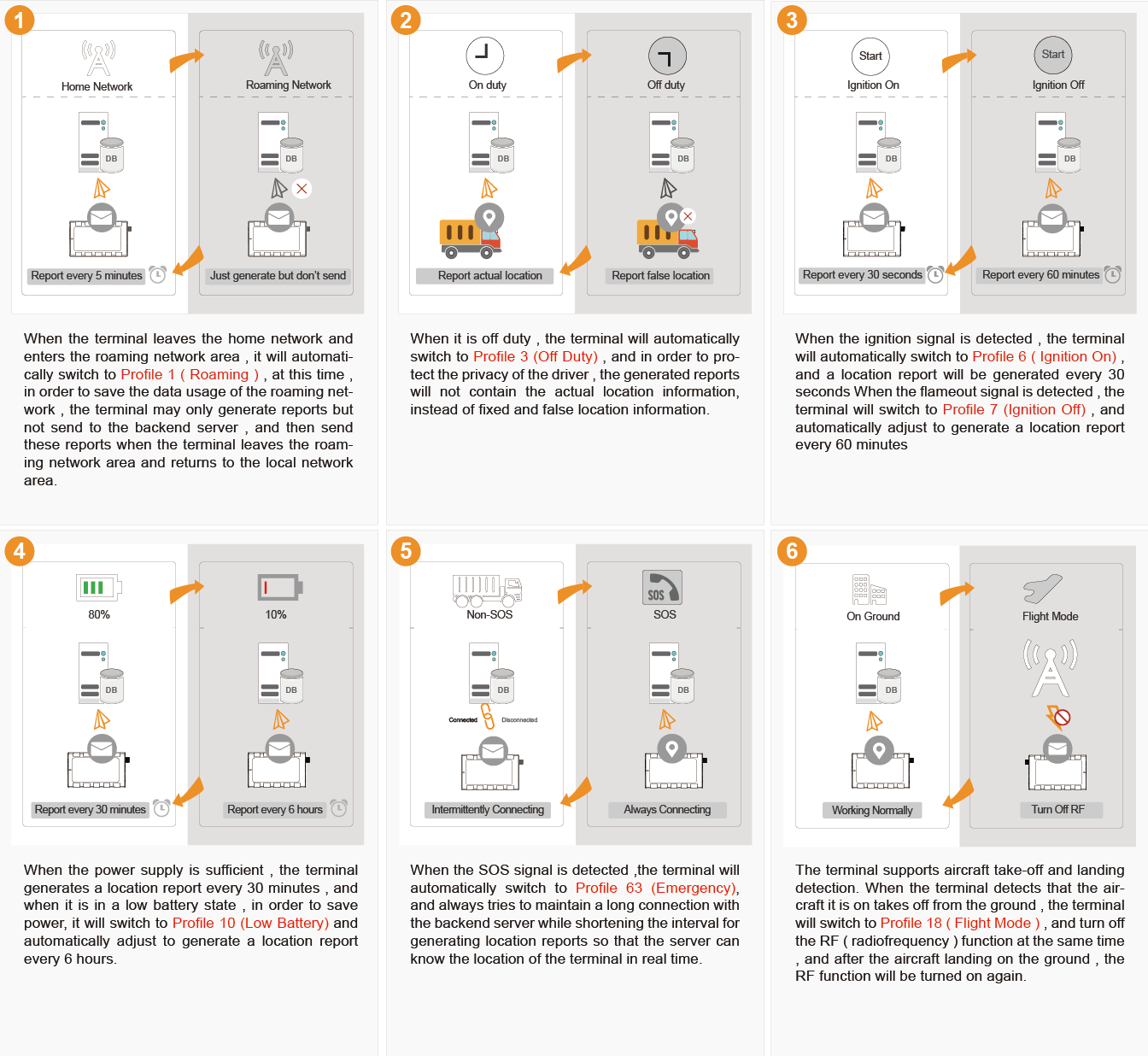
Built-in Application Scenarios (Profiles) of Terminal
Yes, with the @Track protocol, terminal devices can easily do this.
For GV500CNA, the supported application scenarios are: Profile 0 (Default), Profile 1 (Roaming), Profile 3 (Off Duty), Profile 6 (Ignition On), Profile 7 (Ignition Off), Profile 11 (Low Power), Profile 63 (Emergency). For more information, please refer to here.
If you want the terminal device to support more profiles, please contact us.
System Architecture
The @Track protocol applies to all communication interfaces supported by the terminal device, but it is primarily oriented to the remote telemetry server based on cellular network. The figure below shows the basic architecture of the system composed of backend server and terminals.
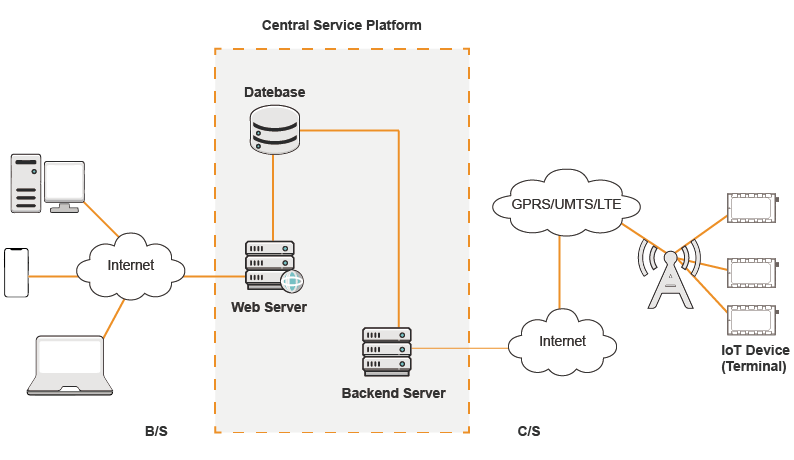
The backend server needs to be accessed by multiple terminals and should have at least the following abilities:
The backend server should be able to access the internet or the local area network where the terminals are located and listen for the connection from the terminals.
The backend server should be able to support TCP/IP or UDP/IP connection with the terminal. It should be able to receive data from the terminal and send data to the terminal.
Optional: The backend server should be able to receive and send SMS.